
How it works
Intake that runs itself, on your terms.
Your client does the work. You set it up once.
- About 10 minutes for your client
- One line of code
- Live the same day
Your client
What your client sees
- 1
Opens the form on your website
From your own button or a floating one. Built for phones.
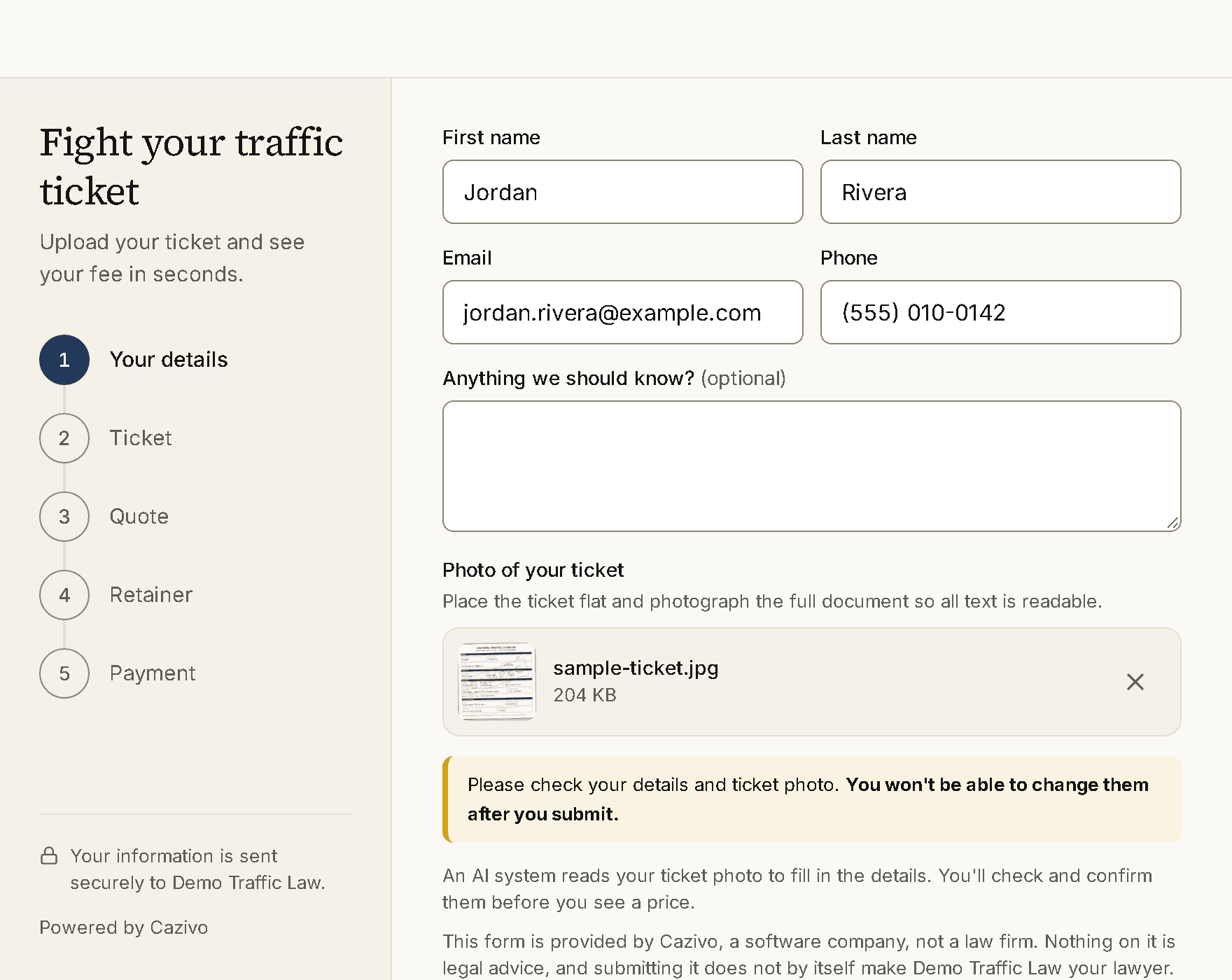
- 2
Photographs the ticket
AI reads the violation, court and date. License numbers are never kept.
- 3
Confirms what was read
And answers any questions you add, like a commercial license.
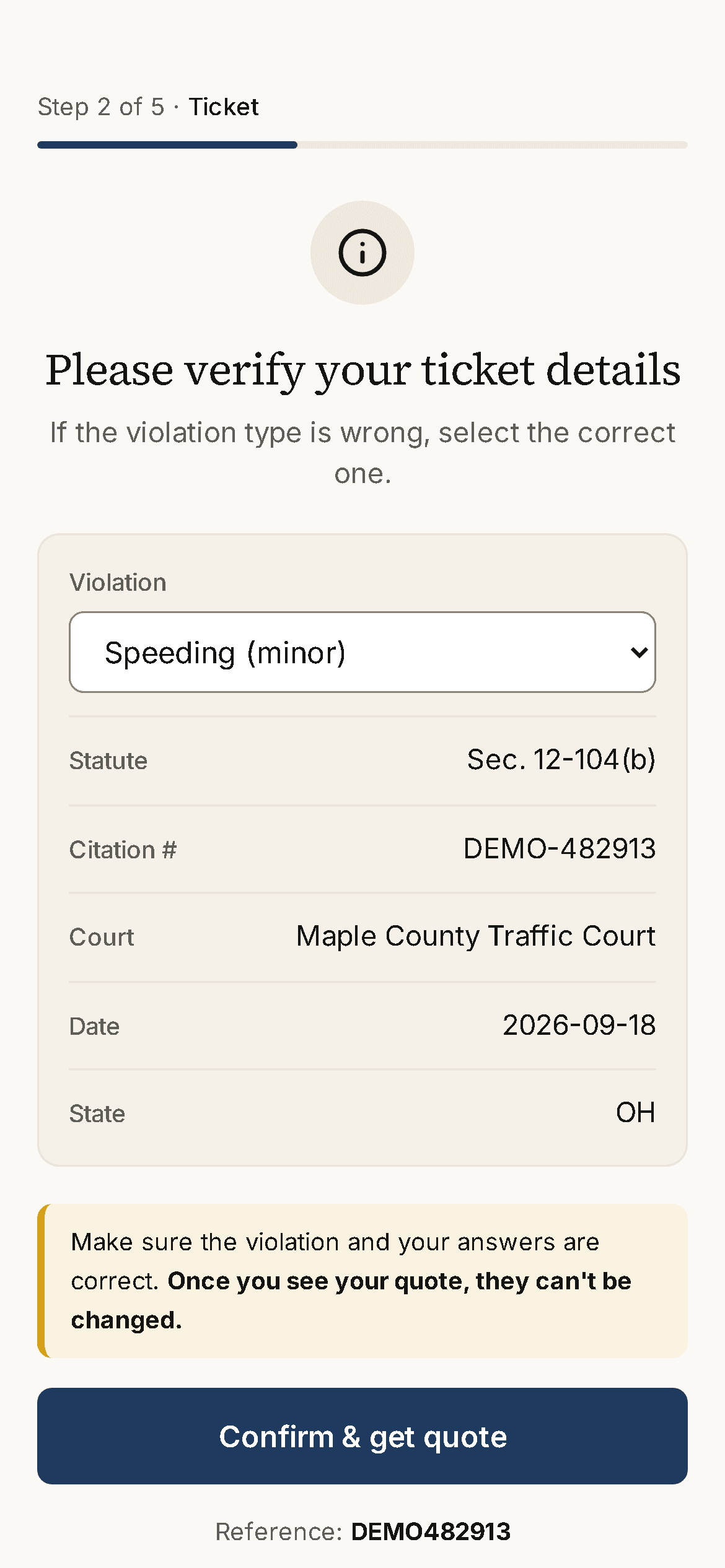
- 4
Sees your fee
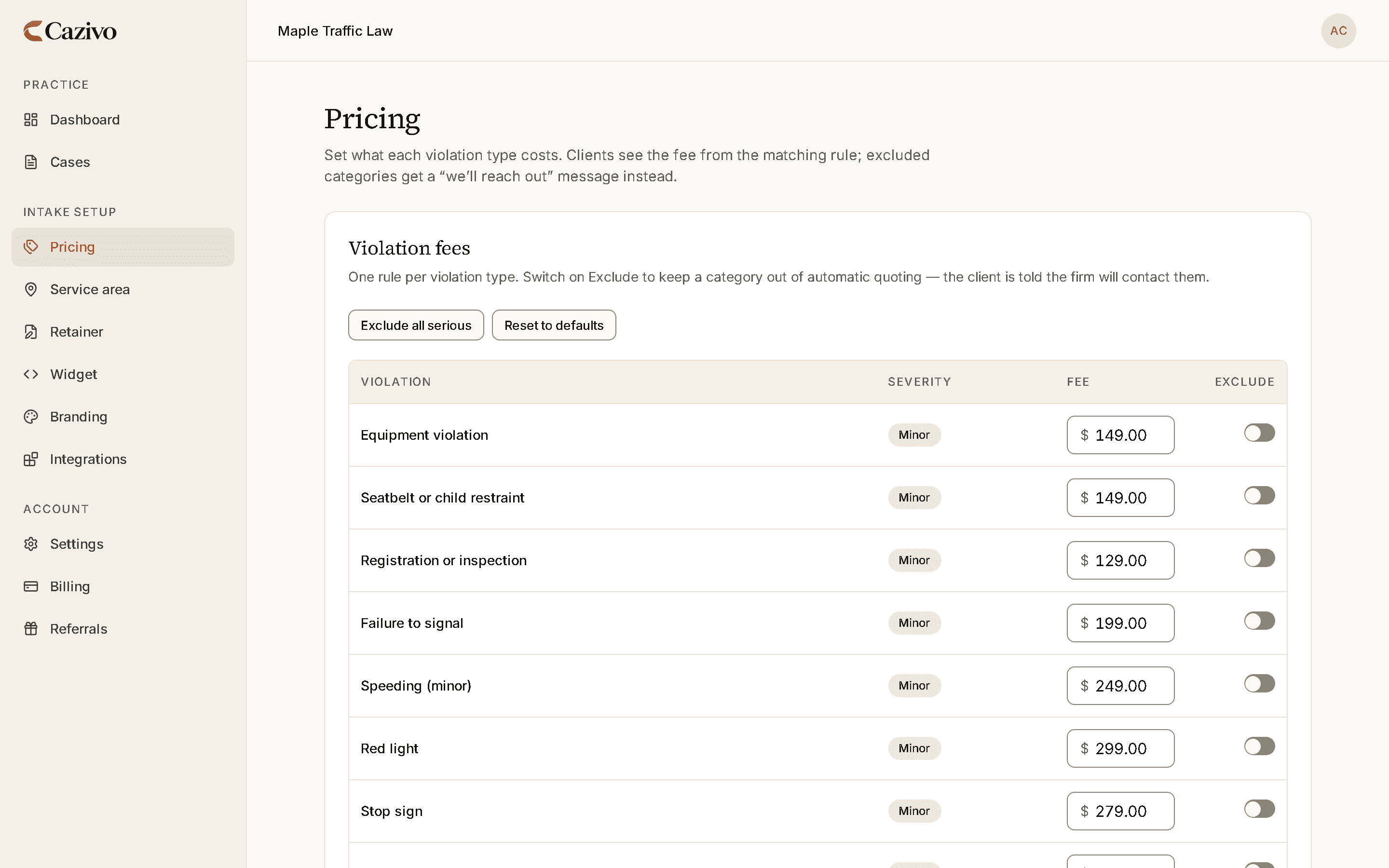
From your own pricing. Cases you never quote come to you.
- 5
Signs your retainer
Your agreement, filled in and e-signed. A copy goes to them.
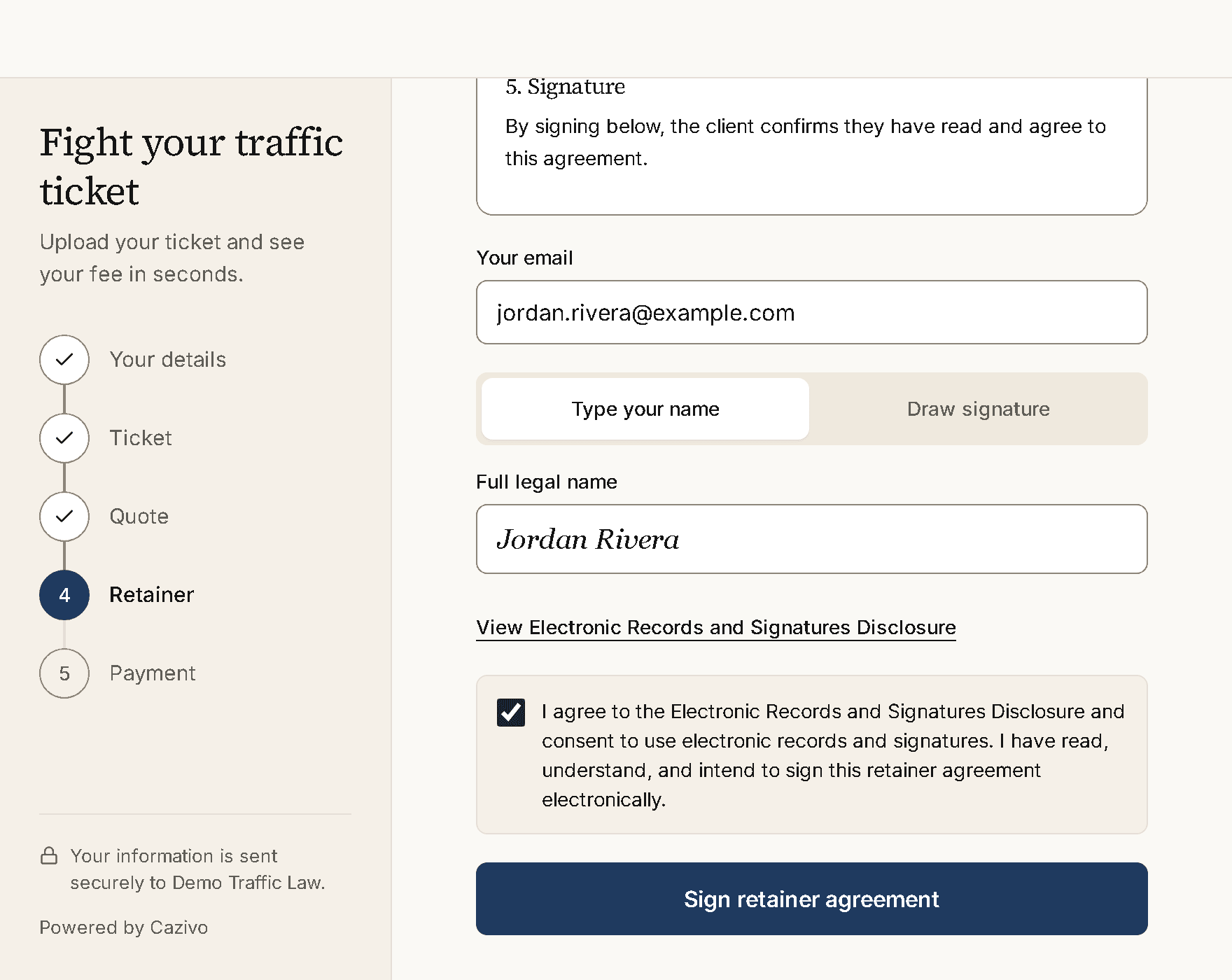
- 6
Pays your firm
Card, Apple Pay or Google Pay, into your own Stripe account.
Your firm
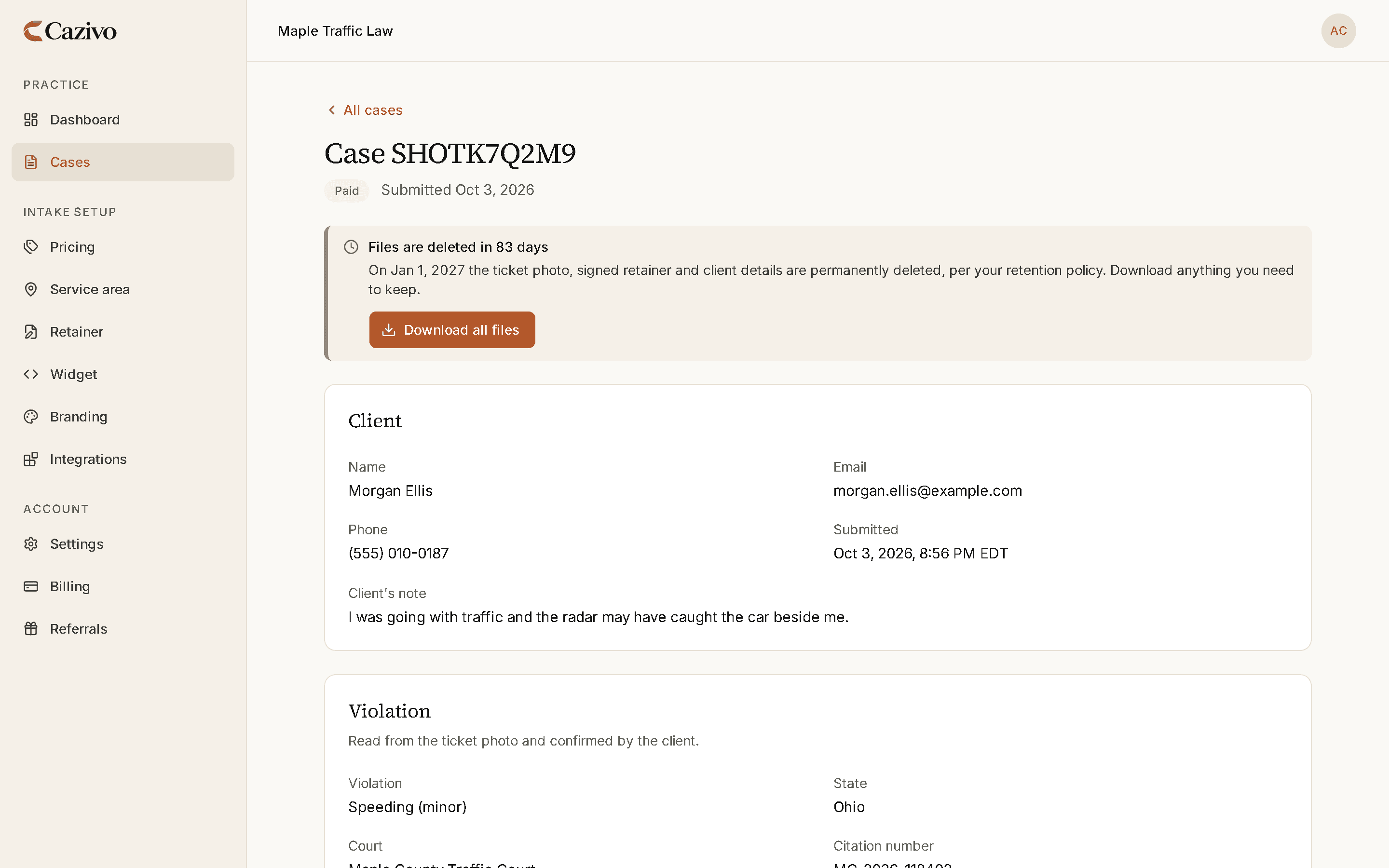
What lands with you
An email per case
To your whole team. No attachments, so nothing sensitive sits in an inbox.
A secure file page
Ticket photo and signed retainer, behind your sign-in.
Deleted on your schedule
90 to 365 days, with a warning 14 days before.
Setting up
Live the same day
A checklist in your dashboard walks you through it.
- 1Set your pricingA fee per violation you take.
- 2Choose where you accept ticketsYour states, or just the counties you cover.
- 3Add your retainer agreementYour own Word document. We never edit it.
- 4Connect StripeClients pay you, not us.
- 5Choose a plan14 days free to start.
- 6Add the widget to your siteOne line, or we do it.
Installing the widget
Two ways onto your site
We install it for you
Book a short call. Most firms have nobody to paste code, and that is fine.
Paste one line yourself
Your dashboard gives you the line to copy, with step-by-step guides for:
- WordPress
- Squarespace
- Wix
- Webflow
- Custom website
Put intake on autopilot this week.
14 days free. Set your fees, upload your retainer, paste one line on your website. You can be live the same day.